Physics
Doppler Effect
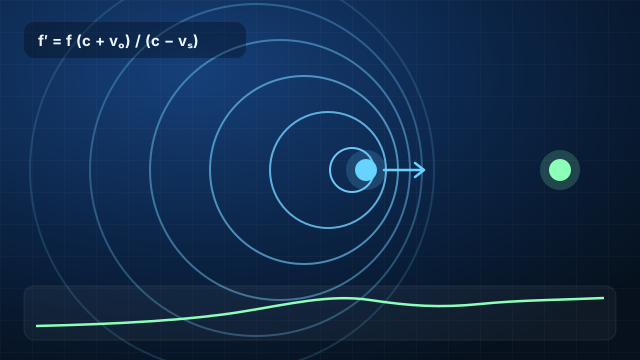
Move a sound source and an observer, change the speed of sound and the wind, and watch the observed frequency shift — all the way to a supersonic Mach cone.
Use ExScim in your classroom in minutes. No accounts, no installs — just share a link or open a simulation on the projector.
Many simulations include a presentation mode with large controls, designed for projectors and smart boards.
Built-in scenarios (for example “approach”, “supersonic” or “dense medium”) let you jump straight to the key idea of a lesson.
Students see the equation update as they change a value, which makes the link between model and math visible.
Switch between English and Persian inside the simulation — useful for bilingual classes and language learners.
Have an idea for a new simulation or want to share how you use ExScim? We would love to hear from you.
Contact usMove a sound source and an observer, change the speed of sound and the wind, and watch the observed frequency shift — all the way to a supersonic Mach cone.

Send a sound or electromagnetic wave into a slab of water, glass, concrete, metal or lead and see how much is reflected, absorbed and transmitted.

Build reciprocal lattices, explore 3D Brillouin zones and simulate X-ray diffraction with Bragg’s law, structure factors, band structures and peak fitting.